Building In-Chat Product Showcases Using Meta Generic Carousel Templates
Learn how to deploy horizontal interactive carousel cards inside Instagram direct messages to showcase products with dedicated buy buttons.
1. Strategic Overview & Operational Challenge
Bombarding a shopper with a flood of individual product images creates inbox clutter. Prospects cannot easily correlate prices to images, leading to friction and abandoned conversations.
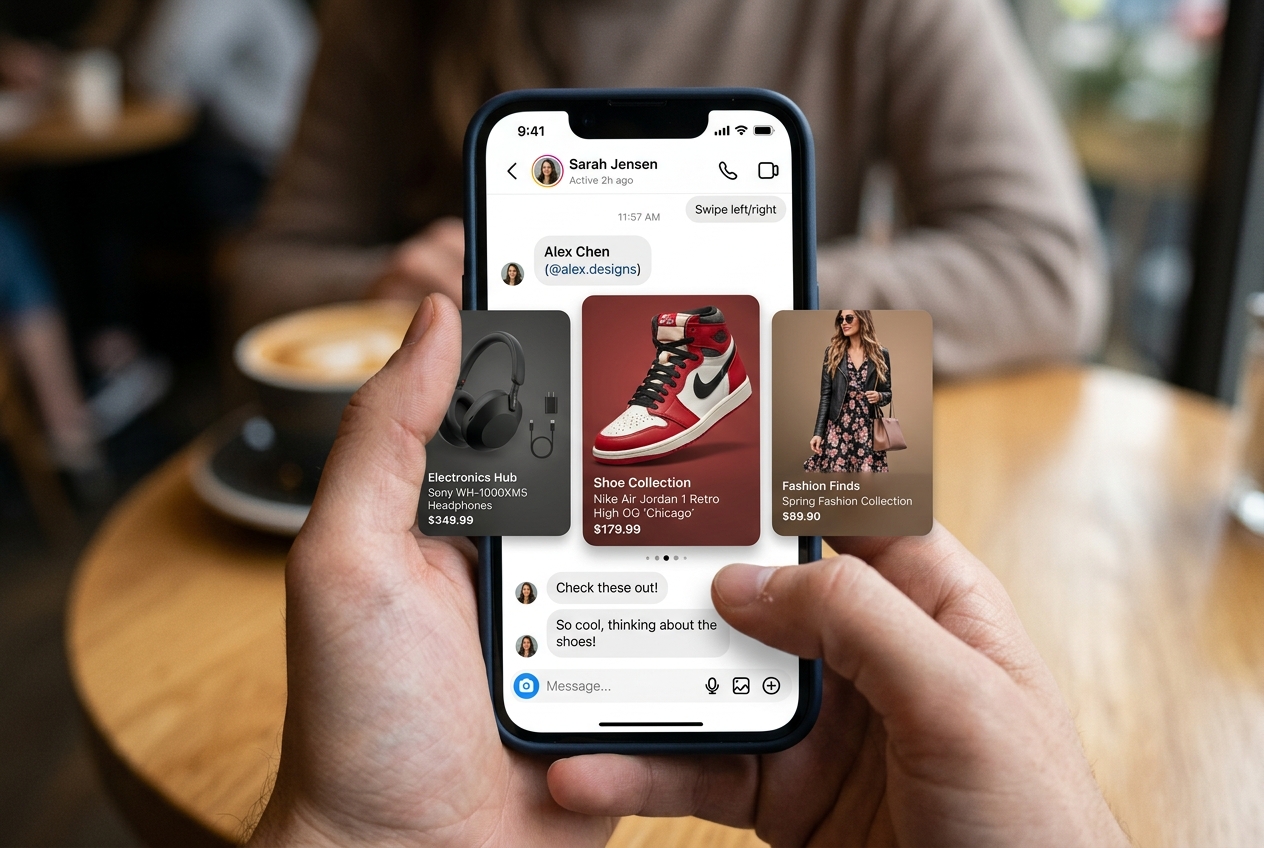
Odirect native Generic Template allows brands to organize items into horizontal swipeable carousels. Each card contains high-res photography, product titles, pricing in USD ($), and direct checkout buttons.
2. Performance Comparison: Manual Handling vs. Odirect Automation
| Metric & Capability | Traditional Manual Handling | Odirect Official Automation |
|---|---|---|
| Interactive Carousel Slider | Sending loose unformatted images spamming the customer chat window | Official horizontal carousel with image, title, subtitle, and checkout buttons |
| Security & Meta Compliance | High risk of spam action blocks and credential fatigue | 100% compliant via official Meta Graph API webhooks |
| Response Velocity & Conversion Rate | Delayed by hours; customer dopamine cools and sales drop | Under 2 seconds; captures impulse purchases instantly |
3. Step-by-Step Implementation Guide
- Select Generic Template as MessageType in Odirect
- Add up to 10 carousel element cards with images and subtitles
- Assign direct checkout web links to each element card
- Verify interactive swipe UX on mobile Instagram app
4. Frequently Asked Questions
How many cards can a single carousel contain?
Official Meta Graph API guidelines support up to 10 horizontal carousel cards per message.
Can each card link to different landing pages?
Yes, each card features dedicated, independent action buttons.